Installation and usage guide
Quran Resolve Kit, a project by 1LineArt
Three steps: install once, give the kit a recitation, approve the result. It finds the verses, fetches the translation, installs the Quranic font and lays out the captions for 16:9, 9:16 and 1:1. You only review and approve.
- Output
- 16:9, 9:16 and 1:1, ProRes 4444 overlays and MP4
- Arabic text
- Tanzil Uthmani, never retyped
- Typeface
- Amiri Quran
- Tested on
- Linux with Python 3.13


How it works
Three steps, and you only decide at the end. The Arabic comes from one verified text file and is never edited by hand.
1. Setup (once)
setupinstalls the Python packages, Chromium, FFmpeg and the Amiri Quran font, and checks them. Nothing else is installed by hand.2. Make
Give
makeyour recitation. It listens to it and matches the words against the whole Tanzil text to find the surah, the first and last verse, and whether it starts with the isti'adha and the Basmala. It fetches the translation, cuts long verses into screens by the same rule in every format, times every verse, builds the backgrounds and overlays, checks everything and makes small draft videos.Your review
Open
build/review.html: watch the three drafts, compare the Arabic with a printed mushaf, and correct timings or text if needed.3. Approve
approveredoes only what you changed, exports the finished MP4 files for 16:9, 9:16 and 1:1, verifies them and writes the Resolve timelines.Assemble in Resolve (optional)
Import the timelines with File › Import › Timeline, add your logo, and render from Resolve if you prefer. Resolve Studio can also build the project by script.
Sample output
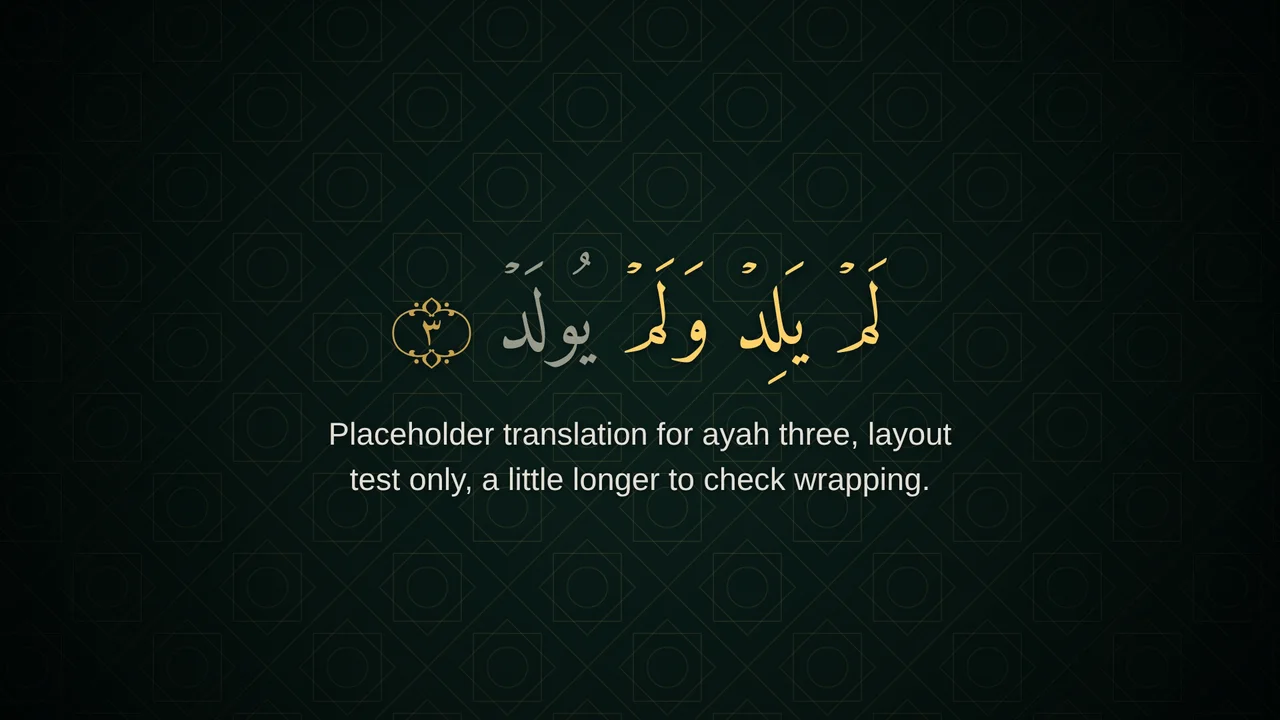
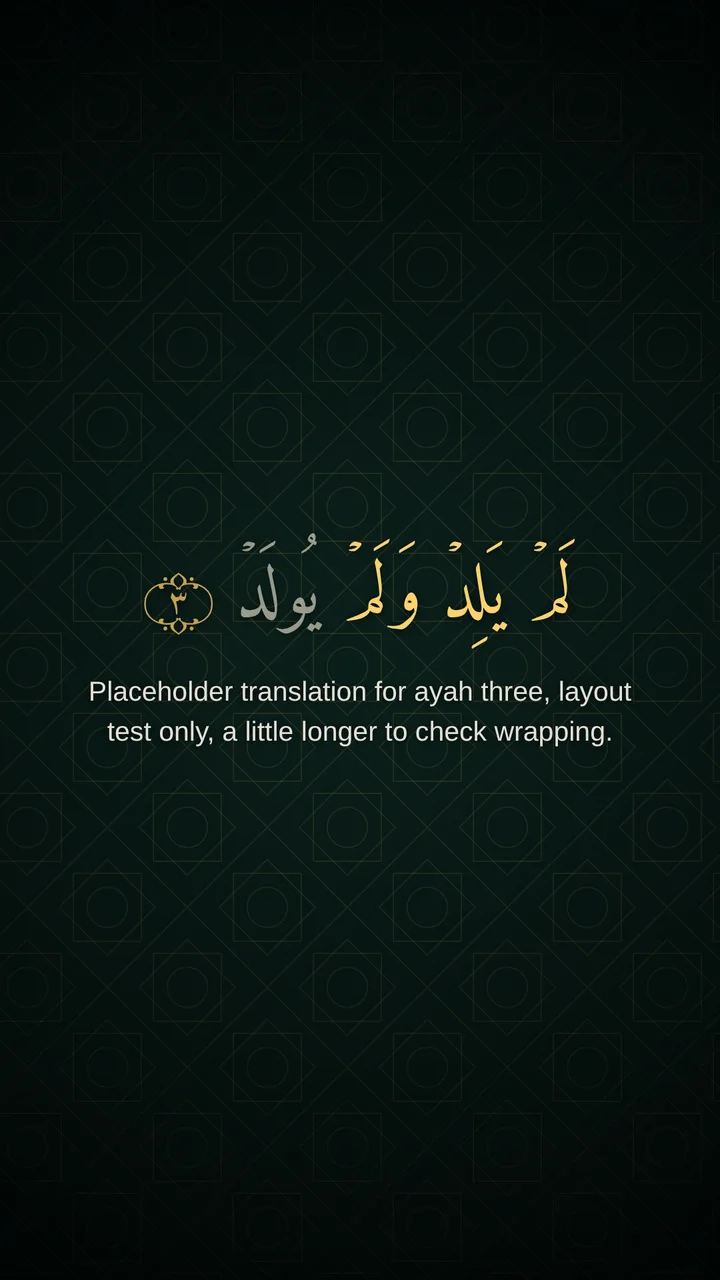
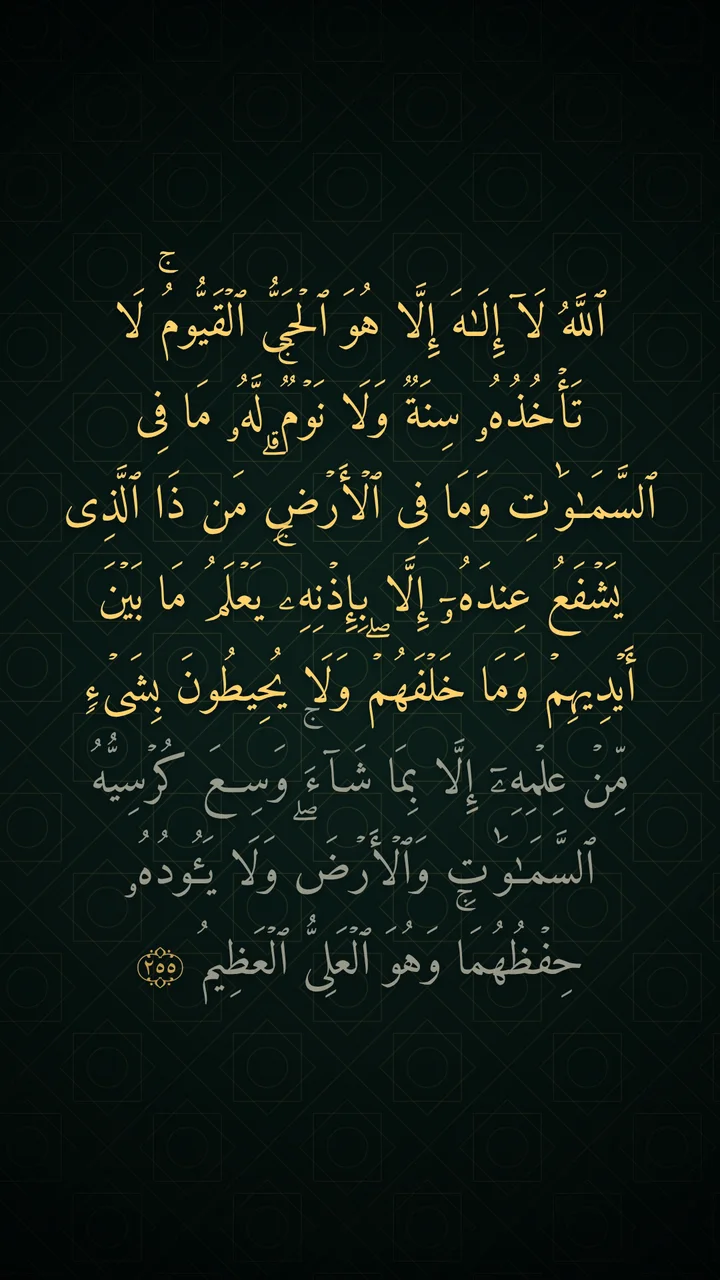
Frames from a test run with placeholder timings and a placeholder translation. Your output depends on your own text, audio and theme.
Requirements
Everything here is free except DaVinci Resolve Studio, which you only need for script-based project building. setup installs the rest for you; you only need Python.
Python 3.9 or newer
Tested on Python 3.13. setup installs the packages in requirements.txt (Playwright, Pillow, faster-whisper, static-ffmpeg) into a private .venv.
Chromium, FFmpeg, the font
Installed by setup: Chromium shapes the Arabic, FFmpeg encodes the video (a static build is fetched if you have none), and the Amiri Quran font is downloaded, checked and installed if it is missing.
Internet, the first time
For the packages, the speech model (hundreds of megabytes, first make only), the Tanzil text and the translation. After that a project can be rebuilt offline.
DaVinci Resolve
Any edition works for importing the timelines. ProRes overlays need Resolve 19.1.4 or newer on Windows and Linux. Automatic building needs Studio.
Your recitation
An MP3, WAV or M4A file. Nothing else: the verses, text, translation and timings are found for you.
Install (step 1)
Unpack the kit and run setup. It creates a private Python environment, installs the packages and Chromium, fetches FFmpeg and the Quranic font if they are missing, and checks everything.
Unpack the kit
Right-click
quran-resolve-kit.zip, choose Extract All, then open a terminal in the new folder.cd quran-resolve-kitRun setup
One command. It makes a
.venvfolder inside the kit, installs everything into it, fetches FFmpeg and the font, and runs the checks. Nothing needs activating: later commands use it automatically.py quran_kit.py setup
Unpack the kit
Unpack the zip, then open Terminal and move into the new folder with
cd. Use the newest kit: ifsetupis missing from the help text, you have an old copy.unzip quran-resolve-kit.zip cd quran-resolve-kitRun setup
One command. It makes a
.venvfolder inside the kit, installs everything into it, fetches FFmpeg and the font, and runs the checks. Nothing needs activating: later commands use it automatically.python3 quran_kit.py setup
Unpack the kit
Unpack the zip and open a terminal in the new folder.
unzip quran-resolve-kit.zip cd quran-resolve-kitRun setup
One command. It makes a
.venvfolder inside the kit, installs everything into it, fetches FFmpeg and the font, and runs the checks. On Debian or Ubuntu, if Chromium says libraries are missing, run the second command. Ifvenvis missing, runsudo apt install python3-venvfirst.python3 quran_kit.py setup # only if Chromium then reports missing system libraries: sudo .venv/bin/playwright install-deps chromium
python3 on macOS and Linux, and py on Windows, in every command in this guide (the guide writes python). python quran_kit.py doctor shows what is ready; doctor --fix fetches FFmpeg and the font again.Manual project (optional)
You do not need this section if you use make, which creates the project folder, fetches the text and translation, and finds the verses itself. Read it when you want to edit project.json, supply your own timings, or work without the speech recognition.
Create the project folder
Run
initfrom inside the kit folder. It createsproject.json,timings.csv,data/andmedia/. Set the surah and verse range to match your recitation. Always put the path in quotes.python quran_kit.py init "../my-surah" --surah 112 --from 1 --to 4 --fps 25Download Quran Text from Tanzil
On tanzil.net/download choose Quran type Uthmani and output Text (with aya numbers), keep pause marks and sajdah signs, and save the file as
data/quran-uthmani.txt. Read Tanzil's terms: the text must stay unmodified and be credited.Add translations (optional)
Translations from tanzil.net/trans use the
surah|ayah|textlayout, and so does The Clear Quran plain-text file (see Quran resources). Save each one indata/and list it undertranslationsinproject.json.Add the recitation
Put an MP3 or WAV in
media/. WAV is better for editing.Write or estimate the timings
Open
timings.csvand use the example below as a guide. Ayah 0 is the Basmala, used only when the recitation includes it and the surah is not 1 or 9. Add rows with awordnumber (1-based) for exact word timing; without them word times are interpolated and flagged. Or skip this:run --also align --apply-alignestimates the verse times from your recording (use ayah -1 for the isti'adha if the recitation starts with it, and setistiadhato true). Review and correct the result before you publish.Check project.json
Open it in a code editor and confirm the file names and frame rate. Use the frame rate of your recitation source and never mix rates. See Working with JSON files below.
Validate the text
Run it with the path in quotes. Expect the surah, the verse count and a fingerprint. If the text file is missing, the command tries to download it and otherwise prints the manual steps.
python quran_kit.py text -c "../my-surah/project.json"
-c are read from that folder, and a path with spaces needs quotes.my-surah/
project.json
timings.csv
data/
quran-uthmani.txt
eng-ummmuhammad.txt (translation fetched by make)
media/
recitation.wav
build/ (created by the kit){
"name": "Surah_Ikhlas",
"surah": 112,
"ayah_start": 1,
"ayah_end": 4,
"text_file": "data/quran-uthmani.txt",
"audio": "media/recitation.wav",
"timing_input": "timings.csv",
"fps": 25,
"formats": ["16x9", "9x16", "1x1"],
"istiadha": false,
"highlight": "progressive",
"ayah_marker": true,
"translation_mode": "overlay",
"translations": [
{"id": "en", "file": "data/eng-ummmuhammad.txt", "label": "Saheeh International", "lang": "en", "dir": "ltr", "enabled": true}
],
"caption_chunks": "auto",
"align": {"backend": "auto"},
"audio_enhance": {"enabled": false, "preset": "recitation"},
"export": {"video_bitrate_mbps": {"16x9": 12, "9x16": 12, "1x1": 10}, "audio_kbps": 192},
"corrections": "corrections.json",
"theme": "theme.default.json",
"out_dir": "build"
}# ayah -1 = isti'adha, 0 = Basmala. Or let the kit estimate this file: run ... --also align --apply-align
surah,ayah,start,end,word
112,0,0.000,3.000,
112,1,3.400,7.000,
112,2,7.400,10.000,
112,3,10.400,14.000,
112,4,14.400,19.000,Working with JSON files
- What it is. A JSON file is plain UTF-8 text with the
.jsonextension.project.jsonand the theme file are JSON. - Open and edit. Drag the file into any code editor: Visual Studio Code, Sublime Text or Notepad++ all work. Turn on JSON syntax highlighting while you edit.
- Validate. Before you run the kit, check your edit with JSONLint, JSON Editor Online or your editor's built-in formatter. One missing comma or quote makes a file invalid, so always validate.
master_text.json is the only Arabic the kit ever displays. Never paste Arabic from a timing tool or a web page into the project.Make and approve (steps 2 and 3)
make does everything up to your review, approve finishes the job. The other commands rerun one stage. Finished stages whose inputs did not change are skipped; add --force to rerun. Replace NAME with your project name.
| Command | What it does | Output |
|---|---|---|
setup | One-time install: a private .venv, the packages, Chromium, FFmpeg and the Amiri Quran font, then the checks. | .venv with the packages, Chromium, ffmpeg and the font (once) |
make RECITATION [--translation ur --reciter NAME --portrait FILE --fps 24 --formats 9x16] | Step 2. Recitation in. It installs what is missing, finds the verses by listening, downloads the Tanzil text and the translation (default: Saheeh International; --translation ur, en.clear, ar.jalalayn and others), lays out the captions, builds the backgrounds and overlays, checks them and writes the drafts and the review page. --surah N --from A --to B skips the listening. | projects/NAME/: project.json, CREDITS.txt, build/review.html, build/preview/NAME_preview_*.mp4 |
approve [PROJECT] | Step 3. After your review: exports the MP4 files, verifies them and writes the Resolve timelines. Picks up changes you made in the review page. --package also zips the project. | build/final/NAME_*.mp4 and build/NAME_*.fcpxml |
translations [LANGUAGE] | Lists the translation and tafsir editions that --translation accepts, for example translations urdu. | the list of translation and tafsir editions |
run [--from X --to Y --only X --also align --force] | Runs the stages in order and stops at the first failure. --also align adds automatic timing, --also export --also verify adds the MP4 files. | all stages up to check; finished stages are skipped |
status | Shows which stages are up to date, out of date or not run. | which stages are up to date |
text | Validates the Tanzil file and builds the master text for your verse range, with a SHA-256 for every verse. | build/master_text.json |
enhance [--compare --bypass] | Optional, non-destructive audio clean-up. --compare writes an A/B file; --bypass keeps the original audio. | build/NAME_enhanced.wav, NAME_ab_compare.wav |
align [--apply] | Verse times: from the recogniser word times when they fit (auto, the default), otherwise estimated from pauses (energy); also asr-json and whisper. --apply copies the result to timings.csv and keeps a backup. It is an estimate: listen to every verse. | build/timings.auto.csv |
review | Builds an offline page with the waveform, per-verse timing, text, position and alignment edits, and a list of all corrections. Export timings.csv and corrections.json from it. | build/review.html (with the draft videos) |
timing [--snap] | Imports a CSV or an Arabic SRT, validates it and writes SRT files. --snap moves verse edges to nearby silences. | build/timing.json, NAME_arabic.srt, NAME_en.srt, timing_report.txt |
background / bgpreview | Generates a seamless background loop in each format (40 seconds by default). bgpreview shows stills of every pattern without encoding video. | build/NAME_bg_16x9.mov, _9x16, _1x1 / preview PNGs |
render | Draws every caption state in Chromium and builds the transparent overlays, frame-exact, for each format. | build/NAME_overlay_16x9.mov, _9x16, _1x1 |
preview [--full] | Makes small H.264 drafts of every format for the review. --full for full size. | build/preview/NAME_preview_16x9.mp4, _9x16, _1x1 |
check | Verifies text hashes, verse order, timings, contrast, fonts and frame counts. Exits with an error if anything fails. | build/check_report.txt |
export | Writes the finished MP4 for each format: H.264, AAC 192 kbps, 10–12 Mbps by default, frame rate equal to the project. | build/final/NAME_16x9.mp4, _9x16, _1x1 |
verify [--file X --format F] | Checks an MP4: container, codec, size, frame rate and count, audio length and offset, caption visibility and contrast, plus a contact sheet. --file checks a video exported from Resolve. | build/final/NAME_FORMAT_verify.txt, contact sheet |
timeline | Writes one FCPXML timeline per format for File › Import › Timeline in Resolve (works in the free edition). | build/NAME_16x9.fcpxml, _9x16, _1x1 |
resolve [--dry-run] [--render] | Builds the Resolve project by script (Studio only). --dry-run prints the plan. | Resolve project (Studio only) |
package [--with-video --drb F] | Zips everything needed to reopen and re-export the project, with a SHA-256 manifest. | NAME_project_bundle.zip |
audio / rendertest / svgpage | Helpers: list silences, quick H.264 preview, a shaping sheet to compare with Text+, and mushaf pages from Quran SVG. | helpers: silences, shaping sheet, mushaf pages |
python quran_kit.py setup
python quran_kit.py make recitation.mp3
python quran_kit.py approvemake also downloads the speech model. You can leave it running.Get accurate timings
Automation proposes numbers. It never supplies words. Always listen to every verse start and end.
Built-in align
align finds pauses and fits verse lengths, so it works offline. On Al-Fatiha it gave plausible times, but it is an estimate with a confidence score per verse. Word times are interpolated.
Review page
review shows the waveform and every verse. Drag or type times, play each verse, correct text or position, then export the files. Nothing is applied until you save and rerun.
Quran Caption
Free, open-source desktop app. Its README lists verse-by-verse segmentation, silence and Basmala detection, and translation trimming. Check its documentation for the SRT export, which I could not confirm.
AyahFlow
Web service that advertises automatic ayah detection and word-by-word sync. I could not verify its accuracy or its export formats, so compare it with your ears on one surah first.
- An Arabic SRT is matched to ayahs by comparing letter skeletons. Weak or missing matches are listed in the report.
- Without
wordrows, word times are spread across a verse by letter count. They are approximate and flagged as such. - Timing errors stop the pipeline: overlapping verses, a verse past the end of the audio, a verse under two frames, a missing ayah, or words out of order.
asr-jsonmatches words from a speech recogniser to the Tanzil words. It is tested on synthetic transcripts only;whisperwas not run here.- Use
ayah = -1for the isti'adha and0for the Basmala. The isti'adha text is a constant in the kit, not from Tanzil: compare it with a printed mushaf.
Quran resources
Where to get text, translations and data to use alongside the kit. Read each site's own terms before using its text, audio or data.
Tanzil: Download Quran Text
The verified Uthmani text the kit uses for all Arabic. Choose Uthmani and Text (with aya numbers), and keep the text unmodified.
Download Quran TextQUL: Quranic Universal Library
An open-source hub of digital Quran materials from Tarteel: standardised Uthmani and Madani scripts, Mushaf layouts, timestamped audio and Quranic grammar datasets, offered in JSON and SQLite formats.
Use its scripts and timestamps to cross-check your text or as a second source of timings. The kit reads CSV and SRT, so convert timestamps to the layout shown in Prepare a project. Check the format of each download first; QUL data has not been tested with the kit.
Visit qul.tarteel.aiThe Clear Quran
A modern, scholar-approved English translation by Dr. Mustafa Khattab, with reverent English narration of the translation and tafsir-grounded lessons.
The plain-text files use the surah|ayah|text layout the kit reads: save one in data/ and list it in project.json. The site states no licence for reusing its text or audio, so get permission or read its terms before using the translation in a video.
Downloads
Quran JSON
Quran text, transliteration and translations in JSON format, as an npm package.
Useful for cross-checking or for translations. The kit reads Tanzil-style text files, so convert JSON first, and take the Arabic itself only from Tanzil.
View on npmAssemble in DaVinci Resolve
Import the timelines the kit writes, or build the project by script with Resolve Studio.
Allow external scripts
In Resolve open Preferences › System › General and set External scripting using to Local. Blackmagic support states this is a Studio-only feature. Keep Resolve running.
Preview the plan
The dry run prints what will be created and lists any missing files. If Resolve is not found, set
RESOLVE_SCRIPT_APIto its scripting folder.python quran_kit.py resolve -c ../my-surah/project.json --dry-run python quran_kit.py resolve -c ../my-surah/project.jsonexport RESOLVE_SCRIPT_API="/path/to/Developer/Scripting"Build the project
The kit creates one timeline per format, imports the media into bins, places the clips and adds a marker at every verse start. An existing project name gets a suffix, so nothing is overwritten. Add
--renderto queue render jobs.Review
Play each timeline with sound and check every marker against the recitation.
Export
The kit also tries to save a
.drbproject file and sets AAC audio and the bitrate on each render job. These Deliver settings are unverified: if Resolve refuses one, the kit says so and you set it on the Deliver page.
Fastest: import the timeline
Run
timeline, then use File › Import › Timeline and choose the.fcpxmlfor your format. It places the background loops, overlay, audio and a marker at every verse. Not verified in a live Resolve: if it is refused, use the steps below.Create the project
Open Project Settings › Master Settings and set the timeline resolution to 1920 × 1080 (or 1080 × 1920) and the frame rate to the
fpsinproject.json.Import the files
Use File › Import › Media for the audio, the background loop and the overlay of your format, all from the
buildfolder.Place the clips
Put the audio on A1, repeat the background loop on V1 until the audio ends, and put the overlay on V2 starting at the first frame.
Add subtitle tracks (optional)
If you set
translation_modetosubtitle_track, import the translation SRT with File › Import › Subtitle.Make the second format
Duplicate the timeline, untick Use Project Settings in its Timeline Settings, change the resolution, and swap in the other background and overlay.
If the overlay will not import
Older Windows and Linux versions of Resolve cannot read ProRes. Convert the overlay to a PNG sequence and import that as an image sequence.
ffmpeg -i build/NAME_overlay_16x9.mov build/overlay_16x9/%06d.png
The kit includes examples/Quran Resolve Kit.drb, a finished DaVinci Resolve project for Surah Al-Fatiha with three filled timelines: Horizontal (1920 × 1080), Vertical (1080 × 1920) and Square (1080 × 1080). Each has a background, a portrait, a surah title, nine Arabic and nine English subtitle titles (verse 7 split over two screens), the recitation and two logo clips. It was exported from Resolve 21.1.1, so older versions may refuse it. I could not open it in Resolve here; this description comes from reading the file. The kit's make builds the same layout automatically.
Import the project
In Resolve open the Project Manager, right-click an empty area and choose Import Project, then select
Quran Resolve Kit.drb. Menu route: File › Import Project.Open it and relink the media
Double-click the project. The recitation, the portrait and the logo clips show as offline, because the file was saved on a Mac with other folders. In the Media Pool select them, right-click Relink Selected Clips and choose the folder with your copies. No portrait? Delete that clip.
Look at how it is built
Open each of the three timelines. The subtitles are text titles typed by hand, which is the manual way. A few clip names and plain-text fields carry slips (
المغبوبinstead ofالمغضوب), which is why the kit never retypes Arabic.Make the same with the kit
Run the two commands below (with your own recitation) and look at
build/review.html. Then importbuild/NAME_16x9.fcpxml,_9x16and_1x1with File › Import › Timeline. Add your own logo on a track above the overlay if you want the start and end clips.python quran_kit.py make recitation.mp3 python quran_kit.py approveOr reuse the example
Keep the example project and replace only its typed subtitles: delete the
Ar_SubtitleandEn_Subtitleclips, importbuild/NAME_overlay_16x9.movandbuild/NAME_bg_16x9.mov, and put them above the recitation. Repeat with the9x16and1x1files.
Timeline layout
| Track | Content |
|---|---|
V2 | Caption overlay with transparency NAME_overlay_16x9.mov |
V1 | Background loop NAME_bg_16x9.mov |
A1 | Recitation NAME_audio_48k.wav |
.drb export and the FCPXML import were tested against simulated or well-formed files, not a real Resolve. Run the dry run first and watch the first build. The manual route always works.rendertest, paste a string from the sheet into Text+ with Amiri Quran, and compare joining, diacritics and word order with the picture. One forum report says Arabic can vanish from subtitle tracks when a stroke is on (thread). If anything differs, keep using the generated overlay.Customise the look
Copy config/theme.default.json, keep only what you change, and point theme in project.json at your file. It is merged over the defaults. Every key is listed in docs/CONFIG.md.
{
  "arabic": {
    "color": "#FFFFFF",
    "sizes": { "16x9": 110, "9x16": 96, "1x1": 92 }
  },
  "animation": { "style": "elastic", "in_frames": 14, "out_frames": 14 },
  "background": {
    "layers": { "a": { "pattern": "khatam", "rotation": { "enabled": true, "degrees_per_second": 2 } } }
  }
}| Setting | What it controls | Default |
|---|---|---|
highlight (project.json) | verse, word or progressive highlighting. | progressive |
arabic.sizes | Arabic font size in pixels for each format. Long verses shrink automatically. | 16x9: 124, 9x16: 108, 1x1: 104 |
captions.auto_max_letters | Letters of Arabic per screen when long verses are cut (the same rule for each format). The translation is cut at the matching place. | 16x9: 36, 9x16: 26, 1x1: 30 |
header.enabled | The title box with the Arabic surah name, its transliteration and meaning (and the reciter, if you give one). enabled: false removes it. | true (title box with the surah name) |
arabic.color / highlight_color | Text colour, and the colour of the word being recited. | #F6EFD9 / #FFD36B |
arabic.upcoming_opacity | How faint the words not yet recited are (0 to 1). | 0.6 |
translation.size_ratio | Translation size as a fraction of the Arabic size. | 0.38 |
translation.position / align | Where the translation sits (below or above) and how it is aligned. Each translation can override these and can be switched off with enabled. | below / center |
layout.16x9.margin_x | Side margin as a fraction of the frame width. Vertical offset and alignment are set per format in the same block. | 0.10 |
animation.style | Entrance and exit style: elastic, fade, rise or none. | elastic |
animation.in_frames / out_frames | Length of the entrance and exit, in frames. | 14 / 10 |
background.layers.a.pattern | Pattern of tile layer A: octagram, khatam, rosette, lattice or interlace. Layer B is independent. | octagram |
background.layers.a.opacity | How visible the pattern is. Colour, scale, offset and alignment are set per layer. | 0.16 |
background.layers.a.rotation | Rotation speed and direction. The kit snaps the speed to the nearest value that loops seamlessly and tells you. | off (degrees_per_second, direction) |
background.gradient | Optional two-colour gradient behind the patterns, or your own footage with background.footage. | off (from, to, angle) |
background.balance.caption_scrim | A soft dark area behind captions that keeps text readable over the pattern. Dimming and pattern visibility are set in the same block. | on |
background.loop_seconds | Seconds per background loop. A scroll moves a whole number of tiles per loop. | 40 |
marker.color | Colour of the verse-end marker. | #C9A24B |
Mushaf pages (optional)
The svgpage command fetches pages from Quran SVG and removes the pale page fill so a page sits on your background. The pages are outlined paths, so they can be recoloured but not restyled as text. Check the artwork's terms before commercial use.
Check and export
Run check, then work through this list. Tick items as you go; your ticks stay in this browser.
0 / 10
Export and verify
- Run
export: it writes MP4 (H.264, AAC) at 1920 × 1080, 1080 × 1920 and 1080 × 1080 with the project frame rate. A common working range is 10–16 Mbps; this is a habit, not a platform rule, so check your platform's current advice. - Run
verify. It checks the container, codec, size, frame count, A/V offset and that each verse is visible, then writes a contact sheet. Read the Arabic on the sheet yourself. - Exporting from Resolve instead? Use the Deliver page with H.264 in MP4, AAC audio, the timeline frame rate and the same sizes, then run
verify --file FILE.mp4 --format 16x9. - Run
packageto keep the editable project, original and processed audio, text, SRT files, overlays, backgrounds, theme, fonts, settings and reports together.
Troubleshooting
The file is not the Uthmani text with aya numbers, or lines are missing. Download it again from Tanzil with the options in the Prepare a project section and keep the file unedited.
The text command lists any character outside the Arabic blocks. Look at the source file. Do not delete characters from the master text; fix the source instead.
Read build/timing_report.txt. Errors are overlapping verses, a verse past the audio end, a verse under two frames, a missing ayah or word times out of order. Fix the CSV or SRT and run timing again.
Word times are interpolated by letter count unless you gave word rows. Add real word timings, or set highlight to verse.
That is the automatic fit, and render reports it. Raise arabic.sizes if the screen allows, reduce the margins, or split the verse at a natural pause.
ProRes needs Resolve 19.1.4 or newer on Windows and Linux. Otherwise convert the overlay to a PNG sequence with the command below and import it as an image sequence.
External scripting needs Resolve Studio, with External scripting using set to Local and Resolve running. With the free edition use the manual route.
Resolve's Arabic shaping depends on its version. Use the generated overlay for Arabic, and keep Resolve's own text for translations only.
Run python quran_kit.py setup again: it reinstalls Chromium into the kit's .venv and then runs doctor. On Debian or Ubuntu also run the install-deps command shown under Install.
Run python quran_kit.py doctor --fix: it fetches a static FFmpeg build into the kit's environment. If that is not possible (no internet, or an unsupported system), install FFmpeg yourself: brew install ffmpeg on macOS (Homebrew from brew.sh), winget install Gyan.FFmpeg on Windows (then open a new terminal), sudo apt install ffmpeg on Linux. Cloning the FFmpeg source with Git installs nothing.
You are running an old copy of the kit. Download the latest zip, unpack it, and run python quran_kit.py --help; setup, make and doctor must be listed.
File contents were pasted into the terminal, so each line ran as a command. Create files such as project.json and timings.csv in a text editor or code editor, never in the terminal. Only type or paste the commands shown in code boxes.
That variable is optional and only used with Resolve Studio. Do not set it to the placeholder path from an example. Unset it with unset RESOLVE_SCRIPT_API, or point it at the real Scripting folder.
The path after -c does not point to a real file. It is read from the folder you run the command in. The easiest fix is make, which creates projects/NAME/project.json for you. Otherwise run init (Prepare a project, step 1), then pass the full path to the new project.json, in quotes if any folder name has spaces.
Trim or extend the video clips, never retime the audio. Keep the audio and the overlay on their tracks, then run render again if the timings change.
align is an estimate from pauses and verse length. Run review, play each verse, fix the times, export timings.csv, then run timing and render again. Only the stages that depend on the change rerun.
Stages track the files and settings they use. Run status to see what is out of date, or add --force to rerun a stage.
Each rotating layer is drawn every frame. Use a shorter loop_seconds, scroll instead of rotation, or bgpreview to judge the look first. Unchanged backgrounds are skipped on later runs.
Check that the timeline frame rate equals fps and the size matches the format. Run verify --file FILE.mp4 --format 16x9 and read the message: it names the property that differs.
The kit listens with a speech model and matches the words against the Quran. Noisy or very short recordings can fail; it then says so and shows its confidence. Use a bigger model (--model medium) or give the verses yourself: make recitation.mp3 --surah 1 --from 1 --to 7. Always check the range in the review page.
The first run downloads the speech model, the Tanzil text and the translation. It needs the internet and some disk space; run the same command again after a network failure. If Tanzil cannot be reached, the kit prints the manual download step.
Run python quran_kit.py doctor --fix. It checks that the Amiri Quran file draws the Arabic letters and Quranic marks, and downloads and installs it again if not. Restart Resolve afterwards if you use the font in Text+.
ffmpeg -i build/NAME_overlay_16x9.mov build/overlay_16x9/%06d.pngReady to caption your first surah?
Download the kit, follow the install steps and run the pipeline on a short surah first.